
For remodelers
Remodeling jobs with deposits, change orders and every receipt in one place.
Bigger jobs change while you work. Keep the estimate, the changes, the costs and the payments on one job.
 First month freeGoogle Play · Coming soon
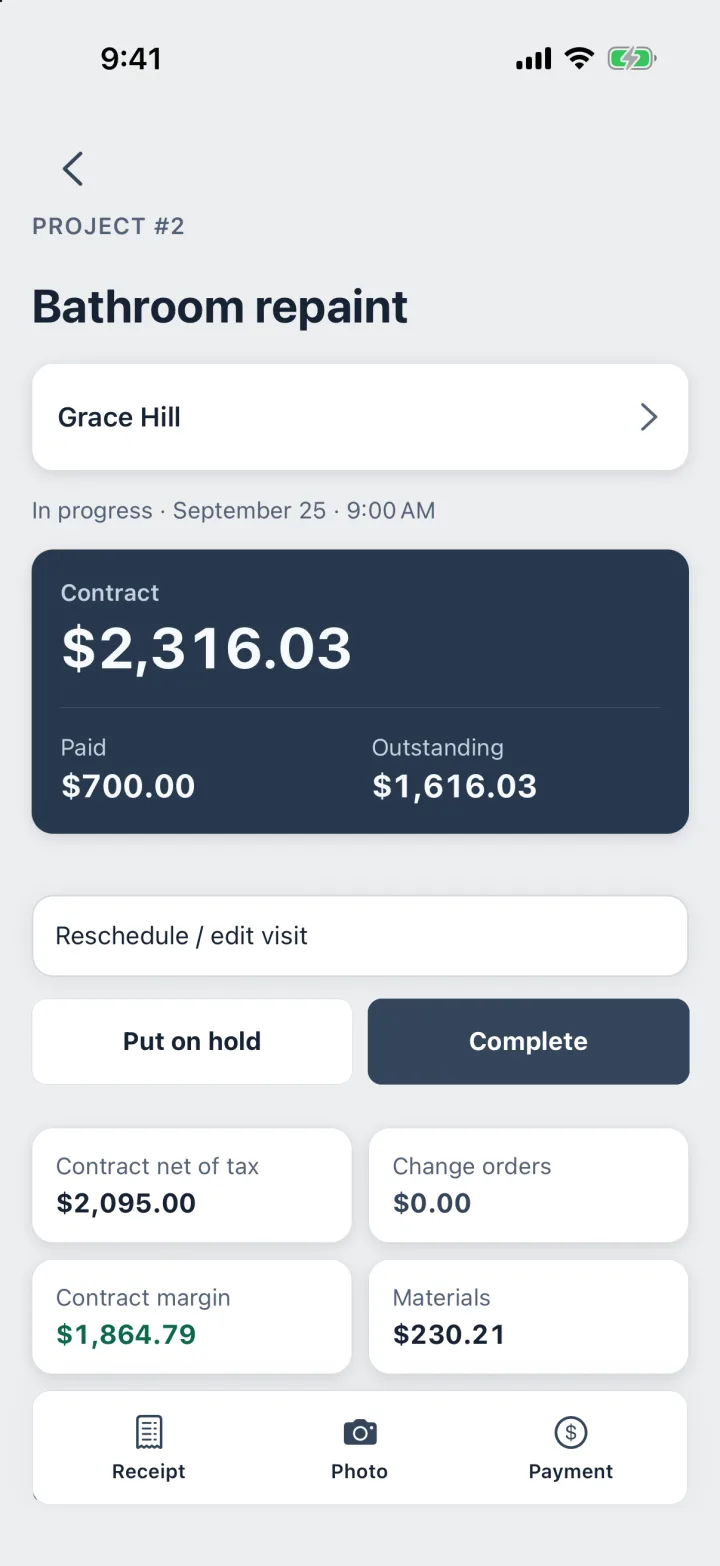
Real screen · ProBos demo data
One remodel, kept straight.
The contract, the money in and the money out stay on the same job.
Step 1
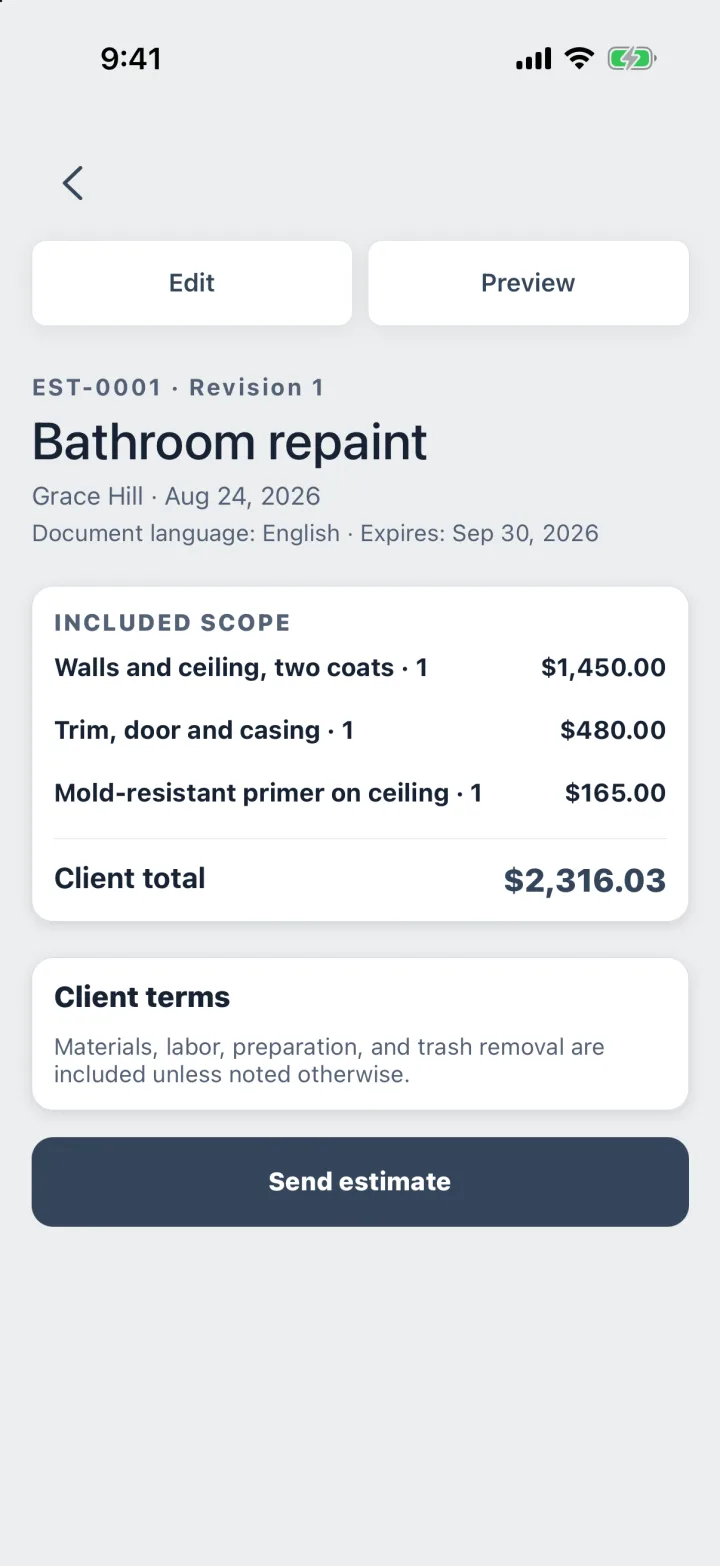
Estimate with options
Scope · Add-ons · Tax
Required work as line items, upgrades as optional add-ons. The client sees each price before choosing.
Step 2
Take the deposit
Contract · Paid · Outstanding
The job shows the contract, what has been paid and what is outstanding, at a glance.
Step 3
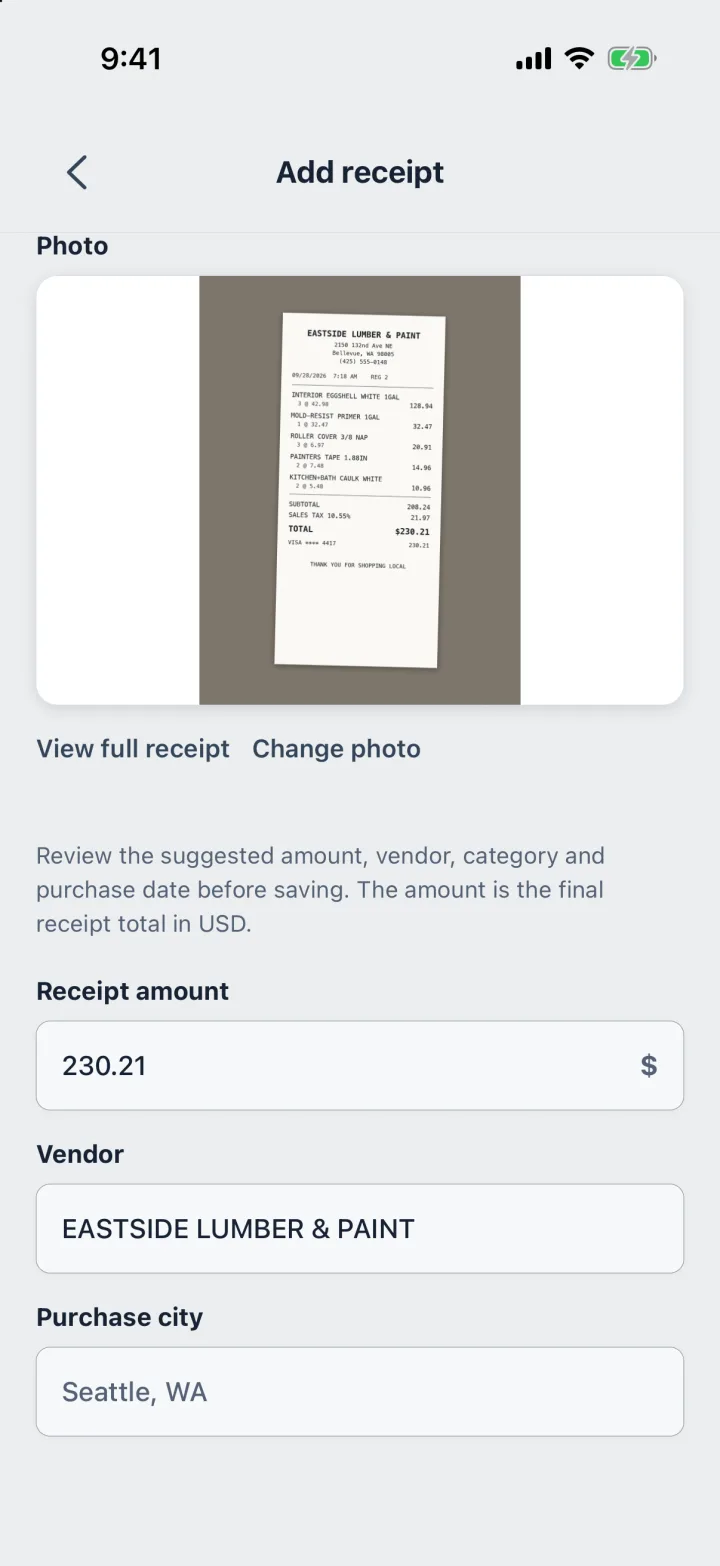
Track materials
Photo · Category · Tax
Every receipt goes on the job by category, so you see the margin while the work is still going.
Step 4
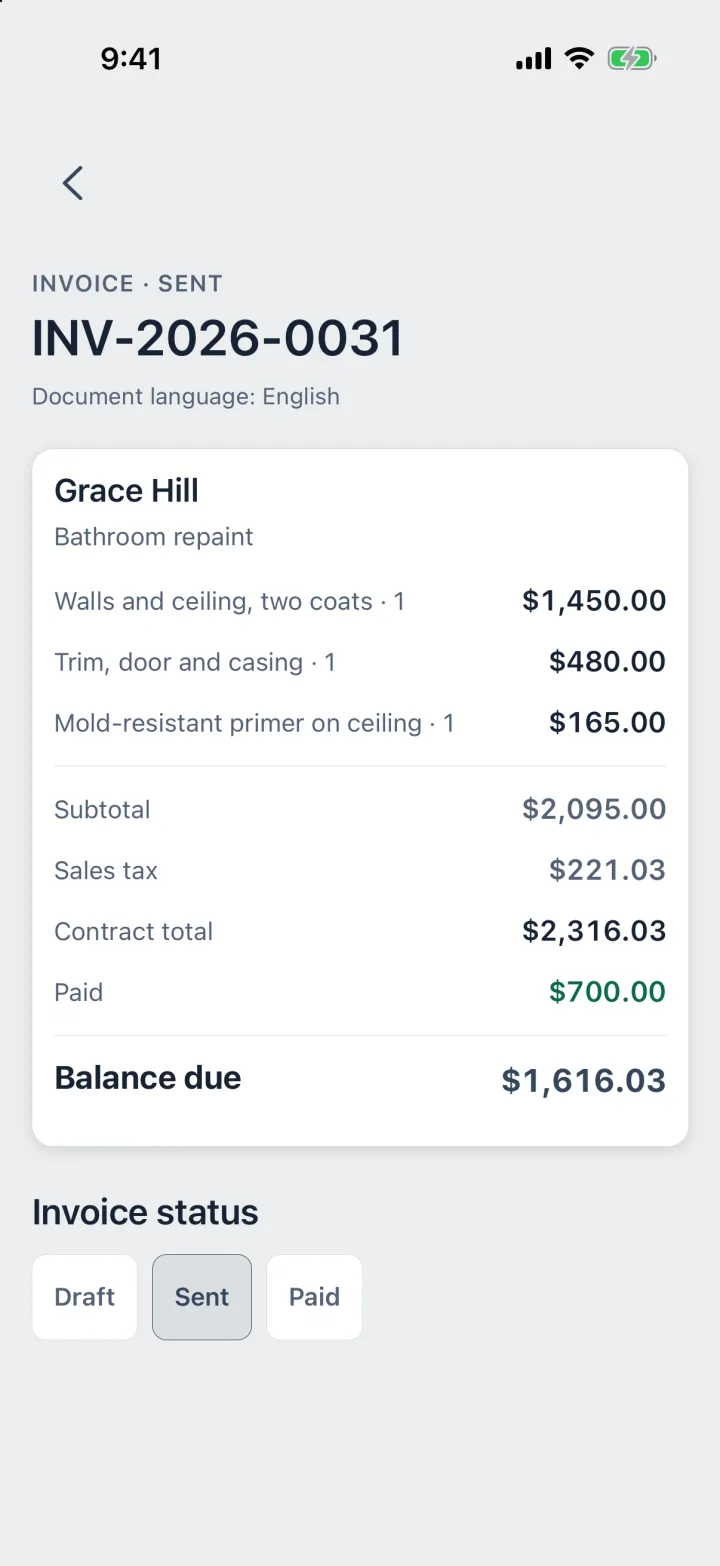
Bill the balance
Deposit counted · PDF
The invoice counts the deposit and shows what is left. Text or email it as a PDF.
Every change, on the record.
When the scope grows, the job keeps the history: what was agreed, what changed, what was spent.
- Change orders on the job, taxed at your rate
- The contract margin after materials, updated with every receipt
- A project timeline of receipts and payments
- Before and after photos kept with the project
Margin here means contract net of tax minus materials. Labor and overhead are yours to judge.
Questions
How do change orders work?
Add a change order to the job when the scope changes. It has its own price and sales tax at your default rate.
Can I take more than one deposit?
Yes. Record each payment as it arrives; the job keeps a running balance.
Can I keep job photos?
Yes. Photos stay with the project on your phone.
Can I see profit per job?
ProBos shows the contract net of tax, the materials from receipts and the margin between them. Labor and overhead are yours to judge.
Your next job,
from call to paid.
Estimate, job, receipts, invoice and payment in one app.
First month freeGoogle Play · Coming soon