
Report for your accountant
A month-end report for contractors, ready for your accountant.
Money received by the day it arrived, deposits included, and costs with their receipts, as PDF or CSV.
 First month freeGoogle Play · Coming soon
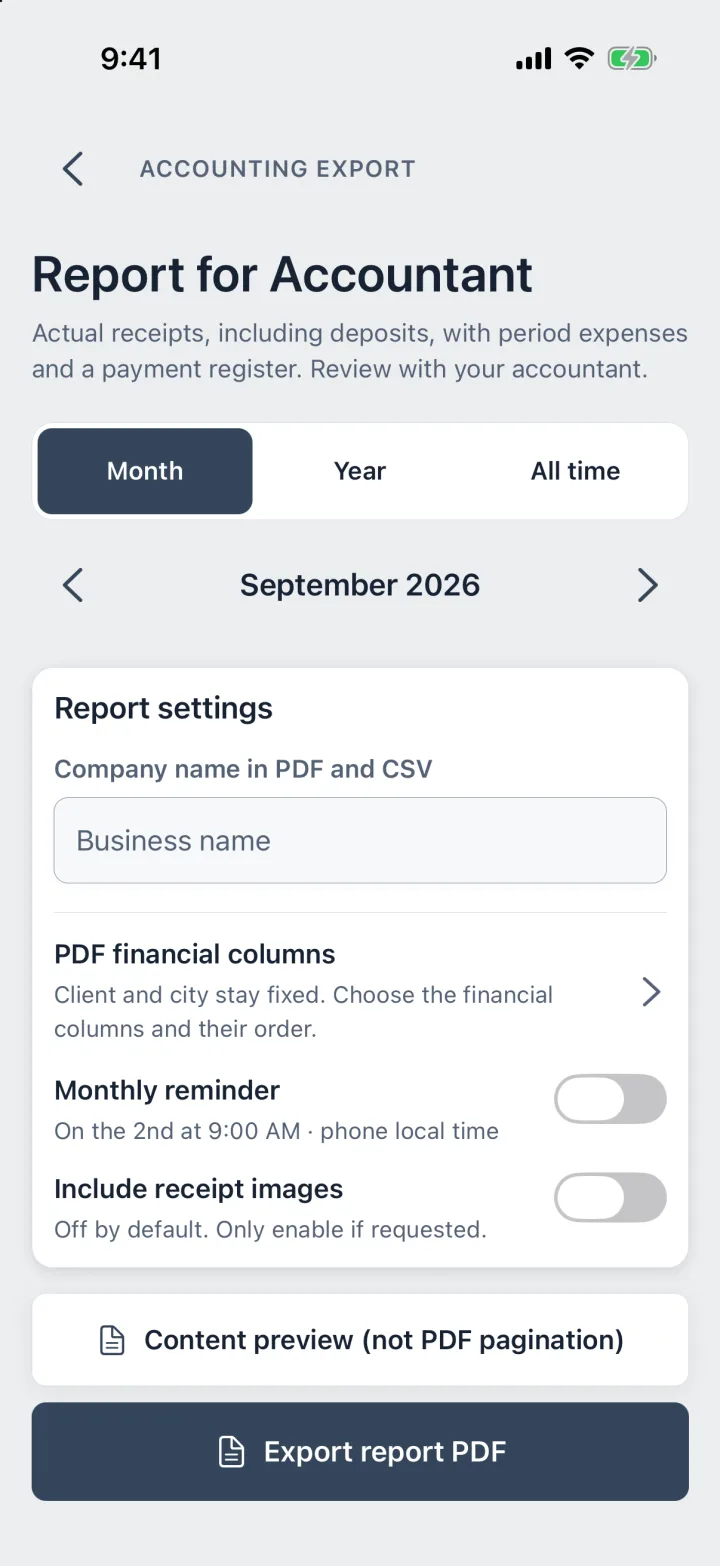
Real screen · ProBos demo data
Bookkeeping that happens while you work.
Record money and costs as they happen; the report builds itself.
Step 1
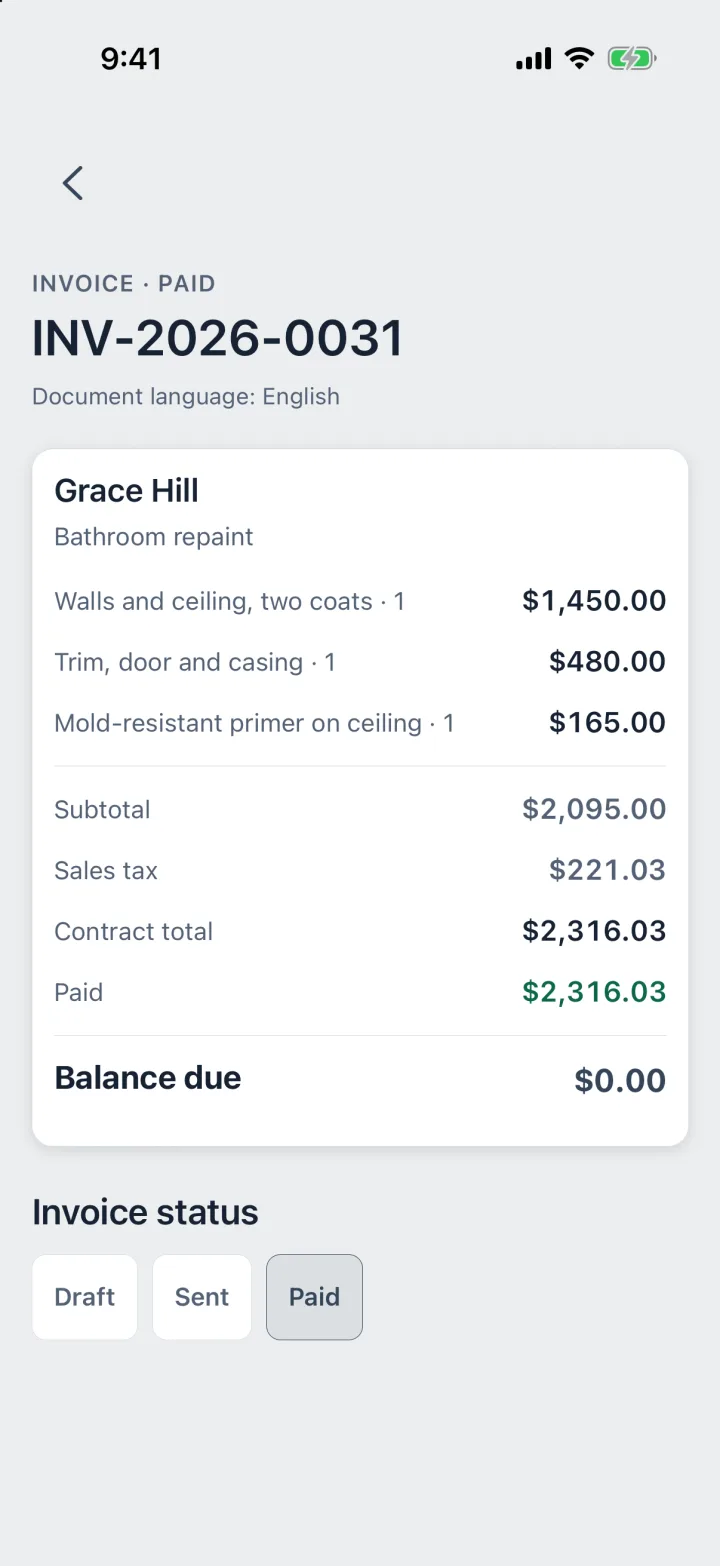
Record payments as they come
Deposit · Partial · Final
Each payment counts on the day it arrived, not the day you sent the invoice. Deposits count too.
Step 2
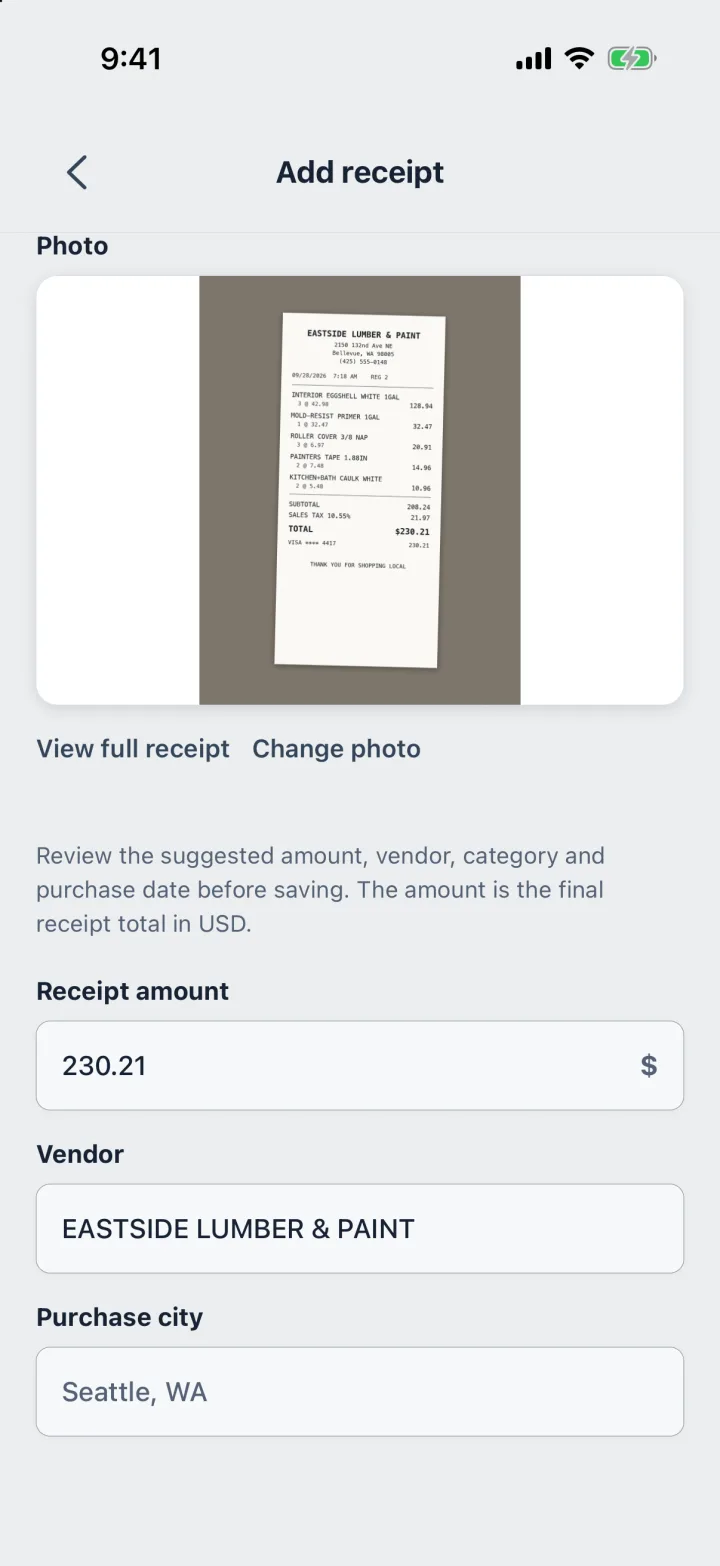
Snap receipts on the job
Photo · Total · Tax
Costs go in when you buy. ProBos reads the total, the store and the tax from the photo.
Step 3
Send the report
Month · Year · PDF · CSV
Pick the month or the year, export PDF or CSV, and email it to your accountant from your phone.
What the report shows.
One document per period, laid out for the person who files your taxes.
- Money received by date, deposits included
- Costs by category, with receipt images if you turn them on
- An estimated sales tax share of what you received
- The PDF columns you choose, in the order you choose
- A reminder on the 2nd of each month
Tax figures are estimates for your records, not a tax bill or tax advice.
Questions
Is this accounting software?
No. ProBos keeps your jobs, receipts and payments and turns them into a clear report. Your accountant does the books and the filing.
Which payments count for the month?
Money counts on the day it arrived, whatever the job status. A contract price alone is never counted as income.
Can I send it as a spreadsheet?
Yes. Export CSV for a spreadsheet, or PDF to read and print.
Does it calculate my sales tax return?
No. It shows an estimated tax share of what you received, for your records. Your accountant decides what you owe.
Your next job,
from call to paid.
Estimate, job, receipts, invoice and payment in one app.
First month freeGoogle Play · Coming soon