
For painters
Painting estimates and invoices, from walk-through to final coat.
Price the walls, the trim and the prep on your phone, send the PDF, and count every gallon you buy against the job.
 First month freeGoogle Play · Coming soon
Real screen · ProBos demo data
One painting job, start to finish.
The demo job is a bathroom repaint, so these are the screens you will use.
Step 1
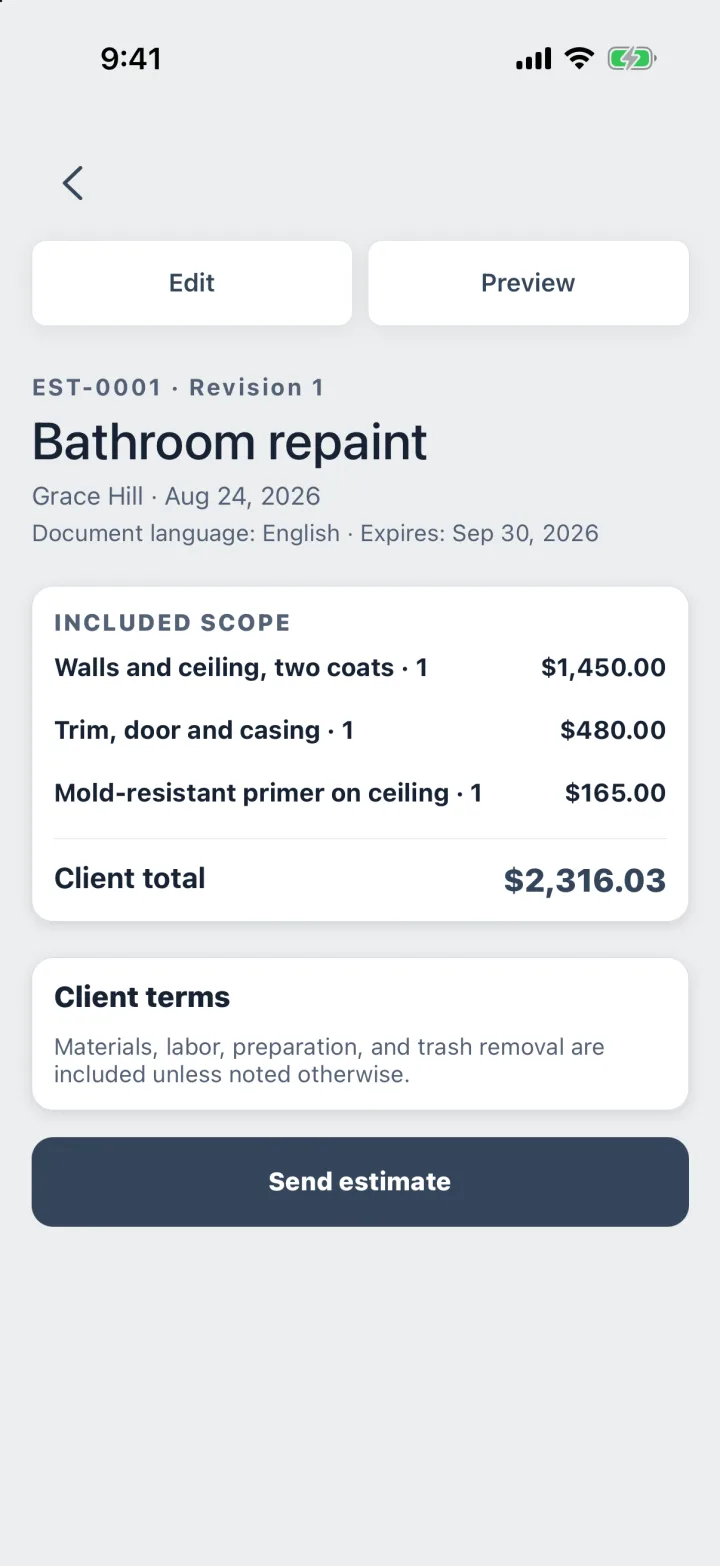
Price the rooms
Walls · Trim · Prep
One line per room or surface, with quantity and price. Ceilings or an accent wall go in as optional add-ons.
Step 2
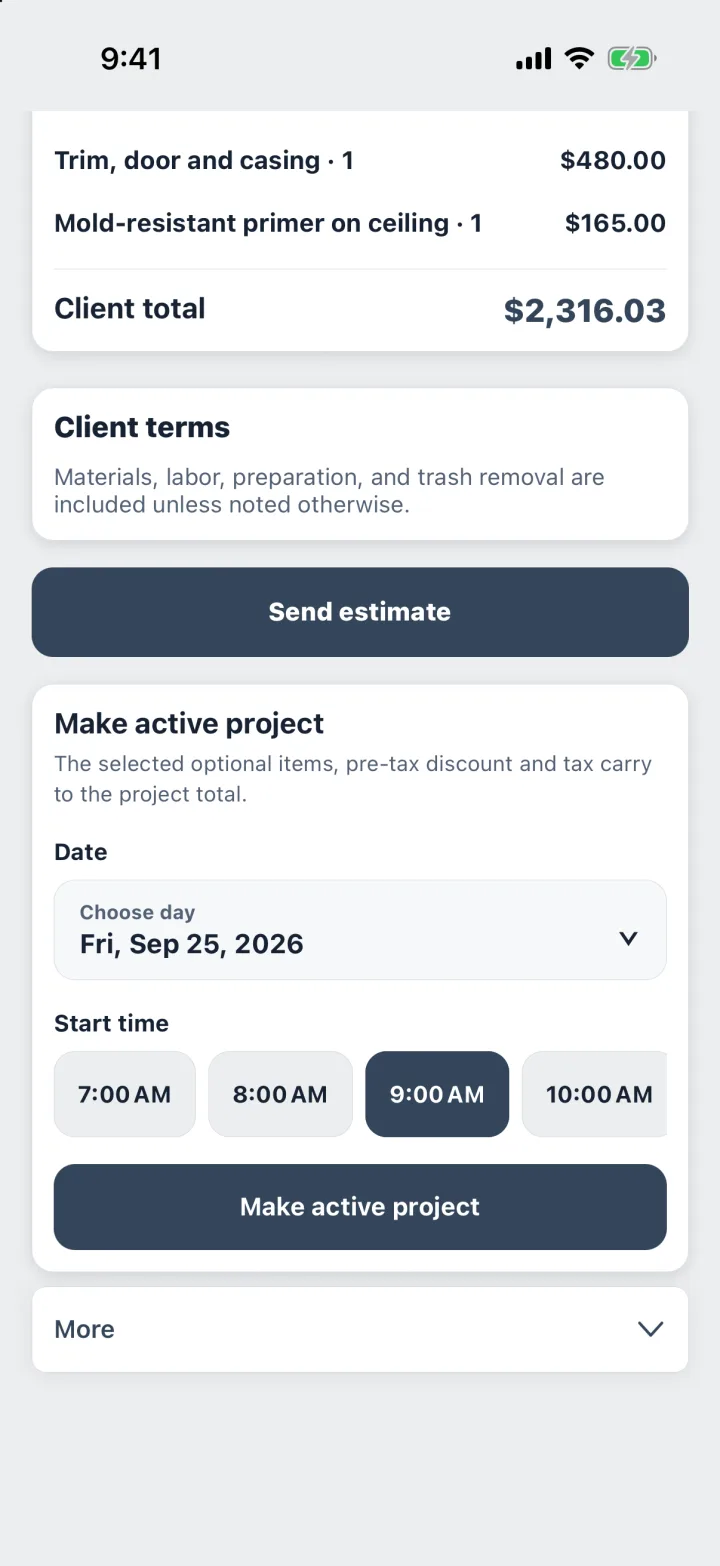
Book the start date
Date · Start time
When the homeowner says yes, pick the day you start. The job keeps the price, the address and the client’s phone.
Step 3
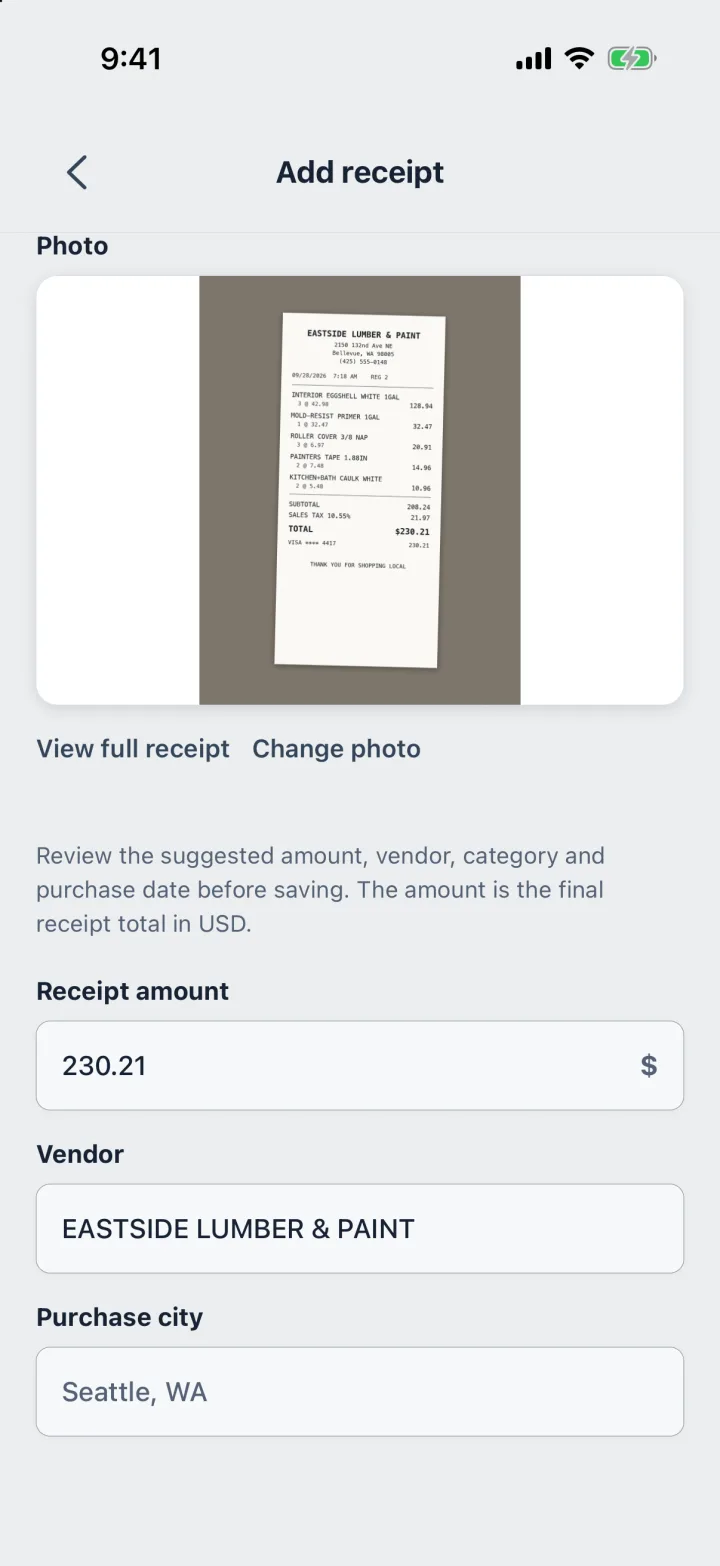
Snap the paint store receipt
Photo · Total · Tax
ProBos reads the total, the store and the tax. Every gallon and every roll of tape counts against the job.
Step 4
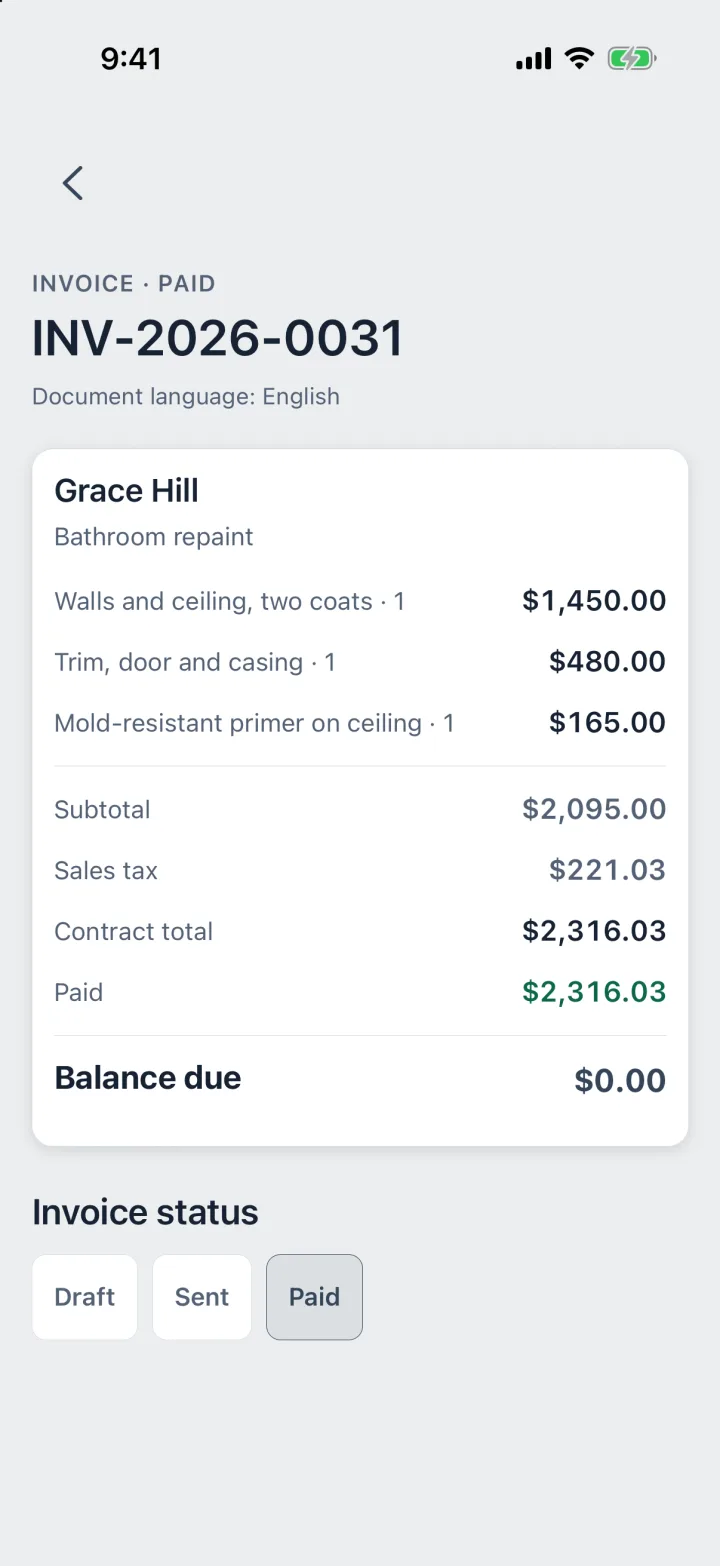
Collect the balance
Deposit · Final
Take a deposit before you buy paint and record the final payment when you finish. The job shows what is still owed.
Built around how painters price.
Square feet, rooms or hours: ProBos takes the quantity and the price you already use.
- Saved presets for the rooms and surfaces you price most
- Optional add-ons for ceilings, accent walls and extra coats
- Estimates in Spanish for homeowners who prefer it
- The margin on every job after paint and supplies
Every screen above is from the app, with demo data.
Questions
Can I price by the square foot?
Yes. Enter the square footage as the quantity and your price per square foot as the unit price.
What if the homeowner adds a room after we start?
Add a change order to the job. It carries its own price and sales tax.
Does it track paint costs per job?
Yes. Snap the receipt and pick the job; the materials and the margin after them show on the job.
Do I need a computer?
No. Estimates, receipts, invoices and the month’s report are all on your phone.
Your next job,
from call to paid.
Estimate, job, receipts, invoice and payment in one app.
First month freeGoogle Play · Coming soon